QR Code Payments Explained: How They Work, Benefits, and Setup Tips
QR code payments have rapidly moved from a niche convenience to a mainstream payment method. In 2025, more than 3.2 billion people are expected to use QR codes for transactions worldwide — from retail counters to restaurant tables and online checkout pages. Today, millions of stores accept QR codes as a standard way to receive payments, from small kiosks to global retail chains. The reason is simple: they’re fast, secure, contactless, and easy to implement — without requiring expensive hardware or complex system upgrades.
For businesses, QR payments offer a way to accept money instantly, reduce friction at checkout, support mobile-first customers, and provide a seamless payment experience — whether in-store, online, or somewhere in between.
If you’re looking to simplify payments, speed up checkout, and reduce operational costs, QR code payments may be the next logical step for your business.
What Are QR Code Payments?
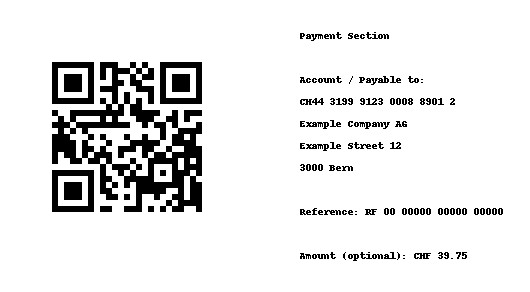
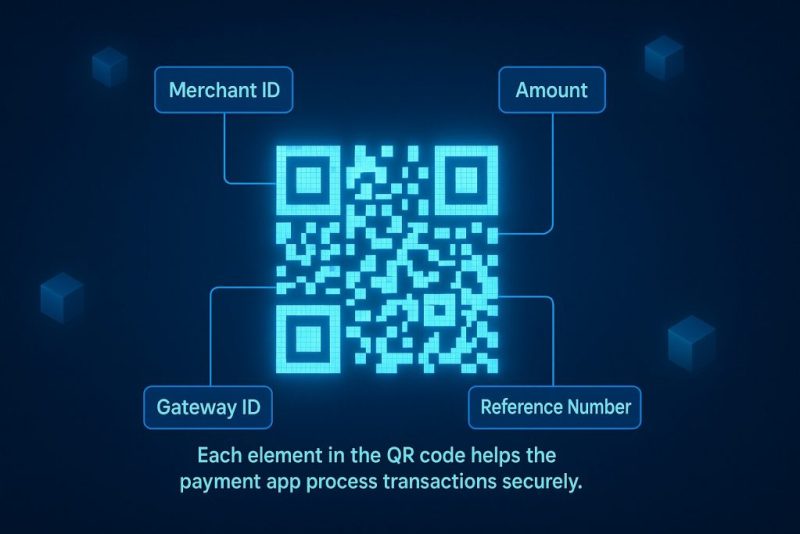
QR codes for payments enable contactless transactions where the customer simply scans the code with a smartphone to complete the purchase.. Usually it contains a payment link, encoded parameters, or a standardized payment string (like EMVCo, UPI, Alipay, etc.) which the payment app interprets. All of this data helps the QR code payment system route the transaction securely between the customer and the merchant.
Depending on system and region, a QR code may include:
| QR Code Field | Required? | Meaning |
| Merchant ID | Yes | Identifies the business receiving the payment |
| Payment provider or gateway ID | Yes | Tells which payment network to route through |
| Transaction amount | Optional | Often left empty, so customer can enter manually |
| Invoice/reference number | Optional | Helps reconcile transactions automatically |
Instead of entering card numbers or handling cash, the customer simply opens a banking app, wallet, or camera, scans the code, and confirms the payment.
How QR Code Payments Work
The process is designed to be simple for both customers and businesses. Here’s what a typical QR payment flow looks like in practice:
- The merchant displays a QR code — physically (printed) or digitally (on-screen or online checkout).
- The customer scans the QR code using a banking app, payment wallet, or phone camera.
- Payment details automatically appear: merchant, amount, and description.
- The customer confirms the transaction.
- Payment is processed, and the merchant receives instant confirmation.
Common QR Payment Methods
There are several different types of QR codes used for payments, each serving a unique purpose depending on who initiates the transaction — the merchant or the customer.
1. Scan to Pay (Merchant QR Code)
The business displays a static or dynamic QR code for payment at checkout. The customer scans the code, enters the amount (if needed), and pays.
Where it’s used: storefronts, market stalls, delivery couriers.
2. Pay via QR (Customer App Generates the Code)
A customer’s app (e.g., a banking wallet) generates a personal QR code. The merchant scans it, and the customer confirms to pay via QR code directly from their account.
Where it’s used: POS with mobile terminals, cafes, supermarkets.
3. Payment Links / QR Invoice
A QR code is generated for a specific order and shared in:
- invoices
- email receipts
- online carts
- WhatsApp / Messenger chats
The customer scans and pays remotely, ideal for:
- online orders
- B2B invoicing
- remote service providers
Benefits of QR Code Payments
Businesses of all sizes are adopting QR payments not just for convenience, but because they offer measurable advantages for both customers and merchants. Here are the key benefits:
1. Speed and Convenience
Checkout becomes significantly faster:
- No card swiping
- No PIN typing
- No waiting for terminals
When shoppers can simply scan for mobile payment, they enjoy a frictionless experience that keeps queues short and satisfaction high.
Learn more from: How to Increase Conversion Rate on Your eCommerce Website in 2025
2. Contactless Transactions
Hygienic, secure, and ideal for mobile-first consumers. Perfect for restaurants and high-turnover retail. Letting customers pay using QR code creates a faster, safer, and more flexible checkout experience that aligns with mobile-first shopping behavior.
Get more insights from: Mobile Commerce Explained: Enhancing Customer Experience and Convenience
3. Low-Cost Implementation
No expensive hardware. You can start with just:
- a printed QR stand
- or displaying a code on your screen
It’s one of the cheapest payment acceptance methods available.
4. Accessibility for All Business Sizes
QR payments scale easily:
- Micro-business → print a QR on a countertop.
- SMB → add QR to POS terminals and receipts.
- Enterprise → integrate QR across apps, kiosks, deliveries, self-checkouts.
You grow without switching tools.
Read more: Omnichannel Marketing in 2025: Strategy, Examples, and Best Practices
Where Can You Use QR Code Payments
QR codes are extremely versatile and can be applied across various industries and customer touchpoints.
- In retail and eCommerce, QR codes in retail help reduce checkout lines, enable instant payment confirmation, and work seamlessly across both online and offline sales channels.
- In restaurants and cafes, customers can pay by QR code directly at the table, browse self-ordering menus, and complete transactions without waiting for a waiter or a payment terminal — making service faster and more convenient.
- At events and ticketing, QR codes simplify entry payments — guests can scan and pay for tickets instantly, eliminating cash handling and making the process ideal for temporary or mobile event setups.
- For peer-to-peer transfers, QR codes allow users to split bills, pay for freelance services, or send money to friends and colleagues in just a few taps.
- In public services and utilities, citizens can make payment using QR code for utility bills, public transport, parking, or municipal fees.
This approach simplifies recurring payments, automates transactions, and significantly improves the overall user experience.
How to Set Up QR Code Payments
Setting up QR payments doesn’t require special hardware or complex software integrations. The process is straightforward and can be broken down into a few essential steps:
1. Choosing a QR Code Payment Provider or App
The first step is to select a trusted QR code payment app or gateway that supports secure and instant transactions. With a QR code payment for business, you can integrate transactions directly into your POS or checkout flow, ensuring a unified payment experience for both customers and staff. Most major payment gateways and banks now offer built-in QR code functionality, including:
- Stripe
- PayPal
- Square
- Revolut Business
- Adyen
- Razorpay
- Local banking apps (depending on region)
When choosing a provider, consider:
- Supported regions and currencies
- Transaction fees
- Settlement timing
- Integration options (POS, website, mobile app)
- Customer wallet coverage (Apple Pay, Google Pay, etc.)
Your goal is to ensure the solution fits your business model, apart from just the ability to generate QR codes.
2. Creating and Linking a Merchant QR Code
Once you choose your provider, the next step is creating your merchant QR code.
There are two common types:
| Type | Description | Use Case |
| Static QR Code | Same code used for all transactions; customer enters the amount manually. | Small shops, cafés, market stalls. |
| Dynamic QR Code | Automatically generated per transaction; amount and order ID are encoded. | eCommerce orders, delivery services, restaurant tables, invoicing. |
Most payment providers allow you to:
- Generate QR codes inside the business dashboard
- Display them in a store, checkout page, receipt, or invoice
If you’re an online retailer, you’ll typically use a dynamic QR code linked to each order, ensuring clean accounting and automated order tracking.
3. Integrating QR Payments into Your POS or eCommerce Platform
If you’re running a store or marketplace online, your platform must support QR-based payments natively — otherwise, you’ll end up stitching together manual workarounds. A well-integrated QR code payment solution ensures every transaction syncs automatically with your POS or online checkout, reducing manual work and reconciliation errors.
Using CS-Cart Store Builder or CS-Cart Multi-Vendor
CS-Cart offers ready-to-use payment integrations for many gateways that support QR code checkout (e.g., Stripe, PayPal, Razorpay, Paytm, PayPal QR, and local banking QR API systems). This flexibility allows merchants to implement the QR code payment method without changing their existing checkout structure or workflow.
This means:
- You can enable QR payments directly in your storefront
- Customers can scan and pay without leaving the checkout page
- Payments are automatically linked to the correct order ID
- No custom development is required for most providers
For marketplaces:
- Vendors can accept payments independently
- Payouts can be managed via split-payments systems
- Transaction history syncs across storefronts and vendors
If your payment provider offers a QR API but doesn’t have an official CS-Cart add-on yet – the platform’s open-code structure makes it easy for your developer to integrate it.
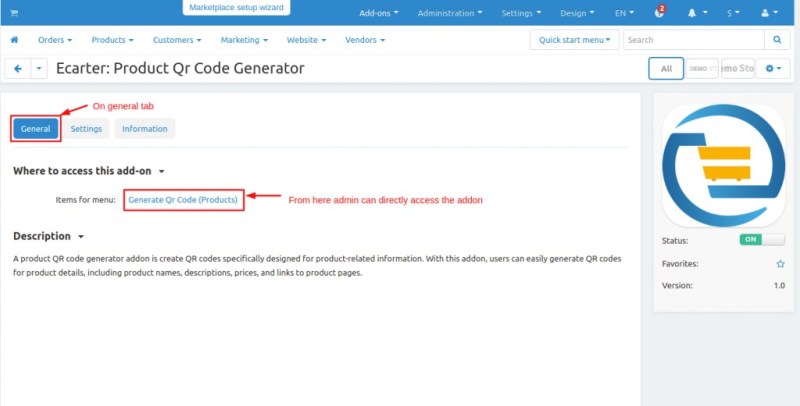
Example of a ready-to-use CS-Cart QR integration add-on from Ecarter
Result: QR payments in CS-Cart are fast to set up, scalable, and don’t require redesigning your checkout or business logic.
4. Testing and Training Staff
Before launching publicly:
- Run test transactions to confirm the flow
- Show staff how to scan, verify, and confirm payments
- Prepare a fallback option (e.g., card terminal or cash) in case of network issues
- Display a clear instruction near the checkout or on-screen prompt
Training takes minutes — but prevents confusion during peak hours.
Security and Risks of QR Code Payments
While QR code payments are inherently secure, risks mainly stem from improper use or social engineering—not from the QR technology itself.
Common Threats
- Fake QR Codes. Attackers replace a merchant’s QR with their own.
- Phishing Pages. QR leads to a fraudulent payment form.
- Data Privacy Risks. QR codes generated using untrusted third-party tools can expose sensitive information.
Best Security Practices
To keep payments safe:
- Generate QR codes only inside verified payment systems
- Use encrypted HTTPS payment pages
- Regularly check printed QR codes in physical locations
- Educate customers not to scan random QR codes
- Enable real-time transaction alerts
For online checkout platforms like CS-Cart, built-in payment gateway encryption and secure redirects already minimize most risks.
Get deeper insights from: PayJunction Experts: How to Keep Your E-Commerce Payments Secure
How Popular Are QR Code Payments?
QR Code Payments in the USA and Worldwide
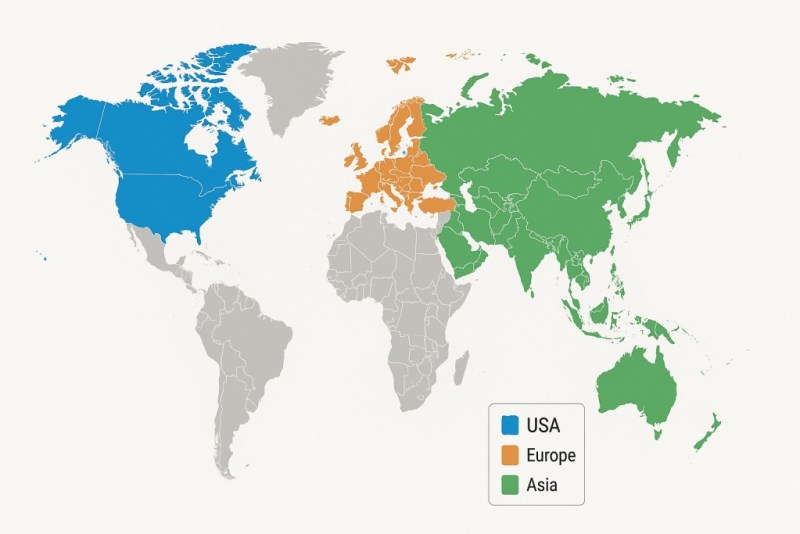
QR adoption has accelerated globally:
- Asia leads (China, India, Singapore, and Vietnam) with QR-first ecosystems.
- Europe is adopting QR in transit, invoices, and retail.
- USA usage is growing — especially with mobile wallets.
In 2024, QR payments exceeded $4.5 trillion in transaction volume globally.
Popular QR Payment Apps
Most customers already have apps that support QR payment:
- Apple Pay
- Google Pay
- PayPal
- Cash App
- Venmo
- WeChat Pay
- Alipay
- Local banking apps
This means businesses don’t need to onboard customers — they’re already ready.
Notable Retailers Using QR Payments
Many global retailers have already integrated QR payments into their customer experience — not as an experiment, but as a core part of their digital strategy. Here are some well-known examples and how they use QR technology in practice:
Walmart
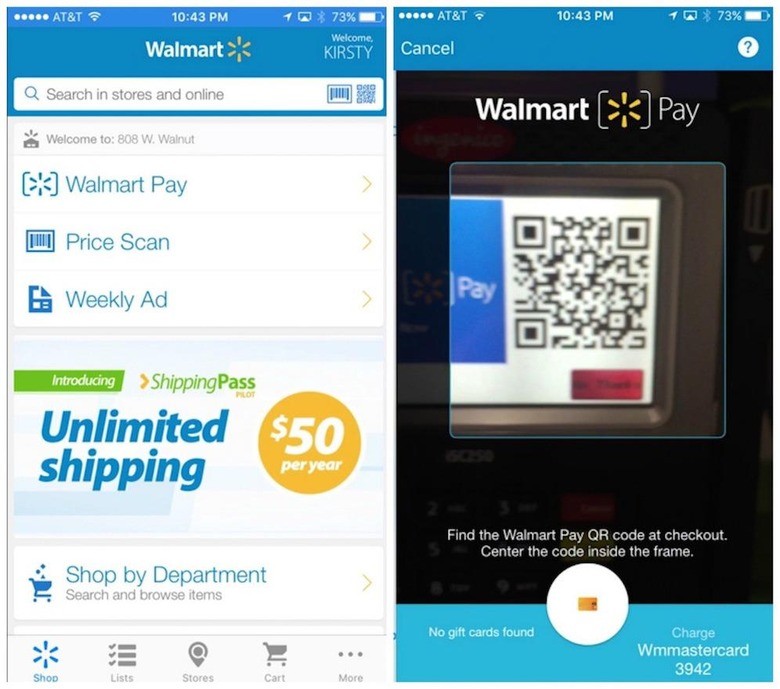
Walmart rolled out its Walmart Pay service to make the checkout process faster right inside the mobile app. The system relies on an integrated QR scanner that allows customers to complete payments instantly by scanning a QR code at the register.
Target
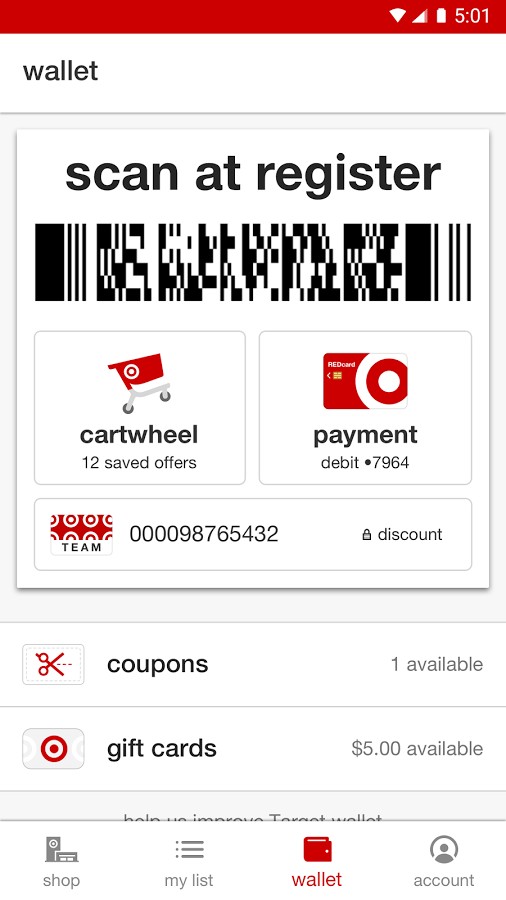
Target enhanced its mobile experience by embedding Target Wallet into the official app. This feature lets shoppers scan a single barcode to pay, apply promotional discounts, and collect loyalty rewards at once. The result is a unified checkout that seamlessly merges payment, savings, and loyalty benefits.
Best Buy
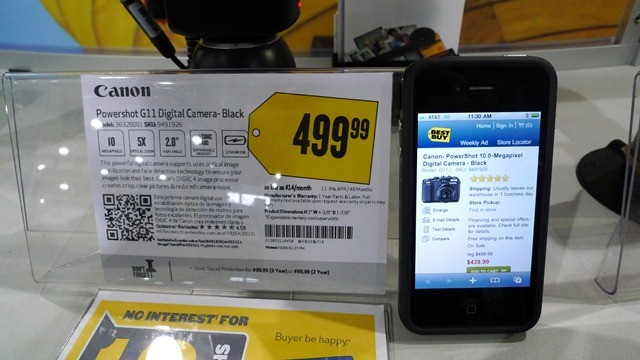
Best Buy adopted QR code–driven payments and product tags to bridge in-store and online shopping. Customers can scan product QR codes to access detailed information, compare prices, or complete quick purchases through the Best Buy app, creating a consistent omnichannel experience.
Starbucks
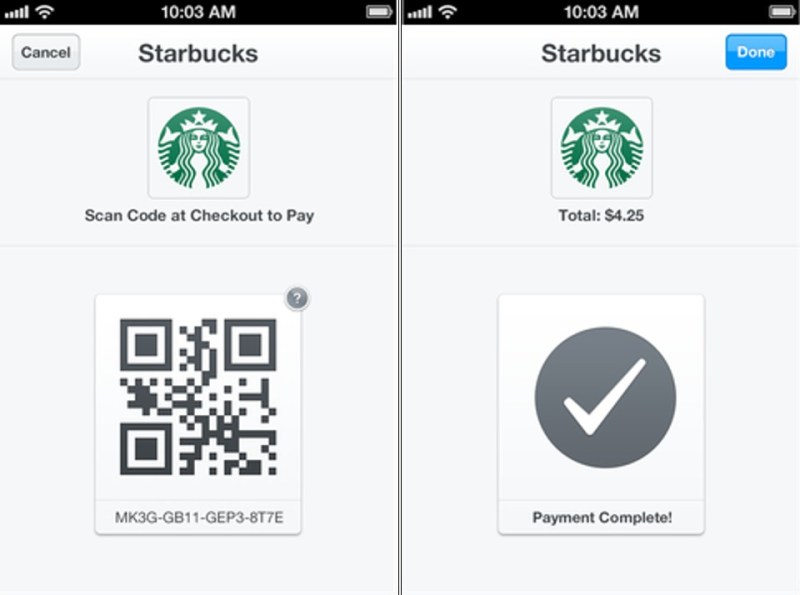
The Starbucks app remains one of the most prominent examples of how QR-based payments can work together with a rewards program. Every customer gets a personal QR code to pay for drinks, collect loyalty stars, and reload funds, making Starbucks one of the pioneers in mobile payment innovation.
7-Eleven
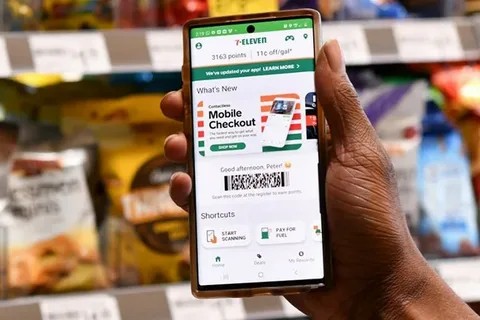
7-Eleven Wallet enables shoppers to pay through QR codes generated within the app. The wallet supports both prepaid funds and linked payment cards, reducing checkout time and encouraging contactless transactions throughout the chain’s convenience stores.
H&M
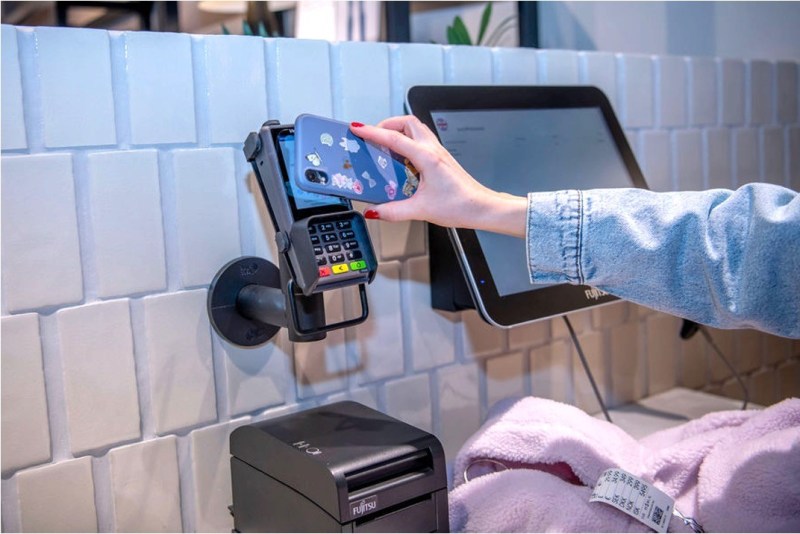
H&M leverages QR technology not just for payments, but also for customer engagement. Using the brand’s mobile app, customers can scan QR codes on receipts or in stores to view product info, unlock loyalty perks, and claim exclusive offers—tying together payment and personalization.
AliExpress
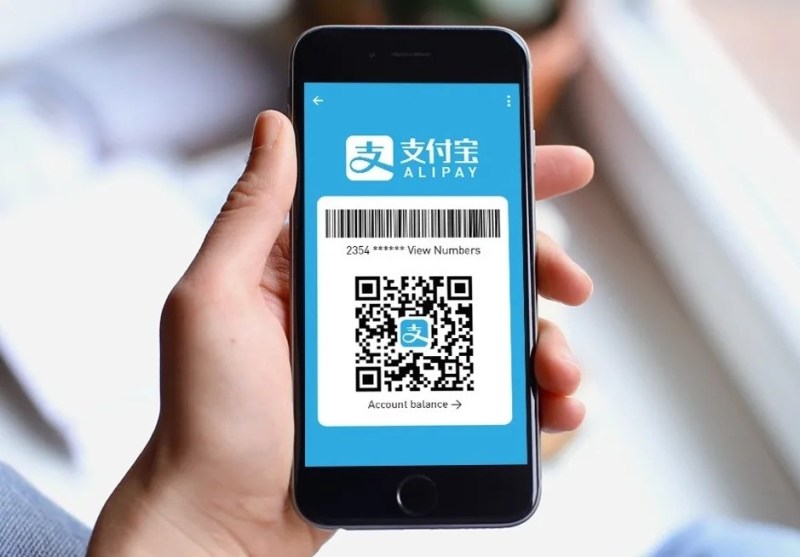
On AliExpress, QR-code payments are tightly integrated with Alipay. Mobile shoppers can simply scan a QR code on Alipay to securely confirm and finalize a purchase, forming a key part of the Alibaba Group’s seamless digital commerce ecosystem.
Uber / Uber Eats
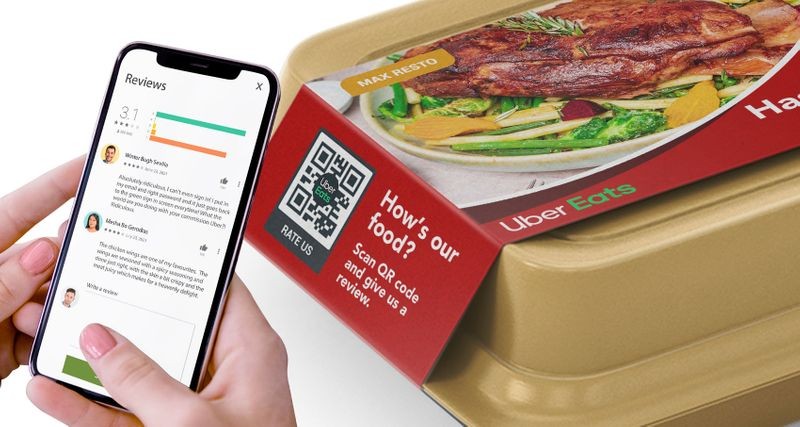
Uber and Uber Eats use QR codes for contactless, verified interactions. Passengers can scan a driver’s QR code to connect rides, while restaurants and couriers use them to validate orders and complete payments. Customers can also scan codes to leave feedback—enhancing trust, efficiency, and user loyalty across the platform.
When major retailers start adopting QR codes, it signals long-term mainstream stability that small and medium-sized businesses wanting to scale should adopt.
Conclusion
QR code payments have become a simple, secure, and flexible way for businesses to accept money both online and offline. They reduce friction at checkout, support contactless customer experiences, require virtually no hardware, and work across retail, hospitality, delivery, events, and eCommerce. By enabling customers to scan a QR code to pay, you make transactions faster, more secure, and more accessible across all your sales channels. For companies growing or expanding into new channels, QR payments offer a way to streamline operations without restructuring the business.
If you’re already selling online or planning to scale, platforms like CS-Cart make it easy to integrate QR payments into a unified commerce system. CS-Cart supports multiple payment gateways that offer QR functionality, so in just a few steps you can get QR payments live on your platform and start offering customers a faster, safer, and more flexible checkout experience. Each payment is automatically linked to its corresponding order, vendors can accept payments in multi-store or multivendor setups, and your financial workflows remain clean and traceable.
In other words, CS-Cart allows you to add QR payments without changing your existing business logic, losing flexibility, or depending on a single payment provider. You can start with one storefront and one payment flow, and expand into B2B, multi-store, or full marketplace operations — while keeping QR payments integrated as part of a scalable platform.
If your goal is to modernize your checkout experience, reduce manual work, and build a payment system that can grow with your business, implementing QR code payments through CS-Cart is a practical and future-proof step forward.
All CS-Cart Products and Services
- ★ CS-Cart Multi-Vendor: free online demo
- ★ CS-Cart Store Builder: free online demo
- ★ Mobile App: App Store, Google Play
- ★ Cloud Hosting: why it’s the best for CS-Cart
- ★ Customer Care: why it’s more than just a tech support
- ★ Upgrade subscription: select and reactivate
Frequently Asked Questions (FAQ)
Do You Have to Pay for a QR Code?
In most cases, you don’t have to pay to create a basic QR code. Static QR codes, which remain the same for every transaction, are usually free to generate through your payment provider or business banking app. However, when you use dynamic QR codes that automatically include order details, or when the payment flows through a gateway like Stripe, PayPal, or Square, standard payment processing fees apply — similar to regular card transactions.
Where Can Customers Pay with QR Codes?
QR codes are accepted in many environments, both online and offline. Buyers can use them at retail checkout counters, in restaurants for table payment, at pop-up stores, at farmers’ markets, and for courier deliveries. They are also widely used in eCommerce checkout pages, on printed or digital invoices, and for paying utility or service bills. Basically, any situation where a code can be displayed or sent can support QR payments.
Are QR Code Payments Safe?
Yes, QR code payments are generally safe because they are processed through secure banking systems and digital wallets that protect the transaction with encryption and user authentication. Since no card data is manually entered or exchanged, the risk of theft or skimming is significantly reduced. The primary concern is fake QR codes placed over real ones in physical locations, so businesses should periodically check their displayed codes, and customers should only scan codes from trusted sources.
How to Receive Money with a QR Code?
To receive payments via QR code, a business registers with a payment provider that supports QR payments and generates a merchant QR code. The code can be shown at the checkout counter, displayed digitally, or attached to invoices. When the customer scans the code and completes payment, funds are transferred to the business account, often with instant confirmation. If the business operates on CS-Cart or CS-Cart Multi-Vendor, QR payment gateways can be enabled directly in the admin panel, so each order automatically generates its own QR code linked to that specific order, which keeps accounting organized and eliminates manual work.

Gayane is a passionate eCommerce expert with over 10 years in the industry. Her extensive experience includes marketplace management, digital marketing, and consumer behavior analysis. Dedicated to uncovering the latest eCommerce trends, she ensures her readers are always informed about industry developments. Known for her analytical skills and keen eye for detail, Gayane's articles provide actionable insights that help businesses and consumers navigate the ever-evolving digital commerce landscape.